How it works
How to make a GameCube game from a picture (your drawing or photo as a 3D character)
To make a GameCube game from a picture, open img2gamecube.com, add a drawing or photo with one clear subject, choose the part it plays (the hero, the rival, a treasure, or the mood and light), and describe the game in a sentence or two. Press Build my GameCube game: your picture becomes a smooth, textured 3D model under real lighting, and an AI agent writes, compiles and playtests a 640 x 480 GameCube game around it, right in the browser. The model costs no gems; a first game took about ten gems in our sessions.
Also in: Español · Deutsch · Français · Português · Italiano · Nederlands · Svenska · Norsk · Bahasa Indonesia · Türkçe · Polski · Tiếng Việt · Русский · 日本語 · 한국어 · 繁體中文
On this page
Below: each step, what you get at the end, what the console can do, and the common questions.
What you need
- A browser on a phone or a computer. There is nothing to install.
- A picture with one subject: a drawing, a photo of a pet or a toy, a mascot, a sketch. A front view on a plain background gives the cleanest model.
- A Shiny Gen account, made right on img2gamecube.com with Google, Apple or email. New accounts start with 30 free gems and free agent turns.
Step 1: Add a picture
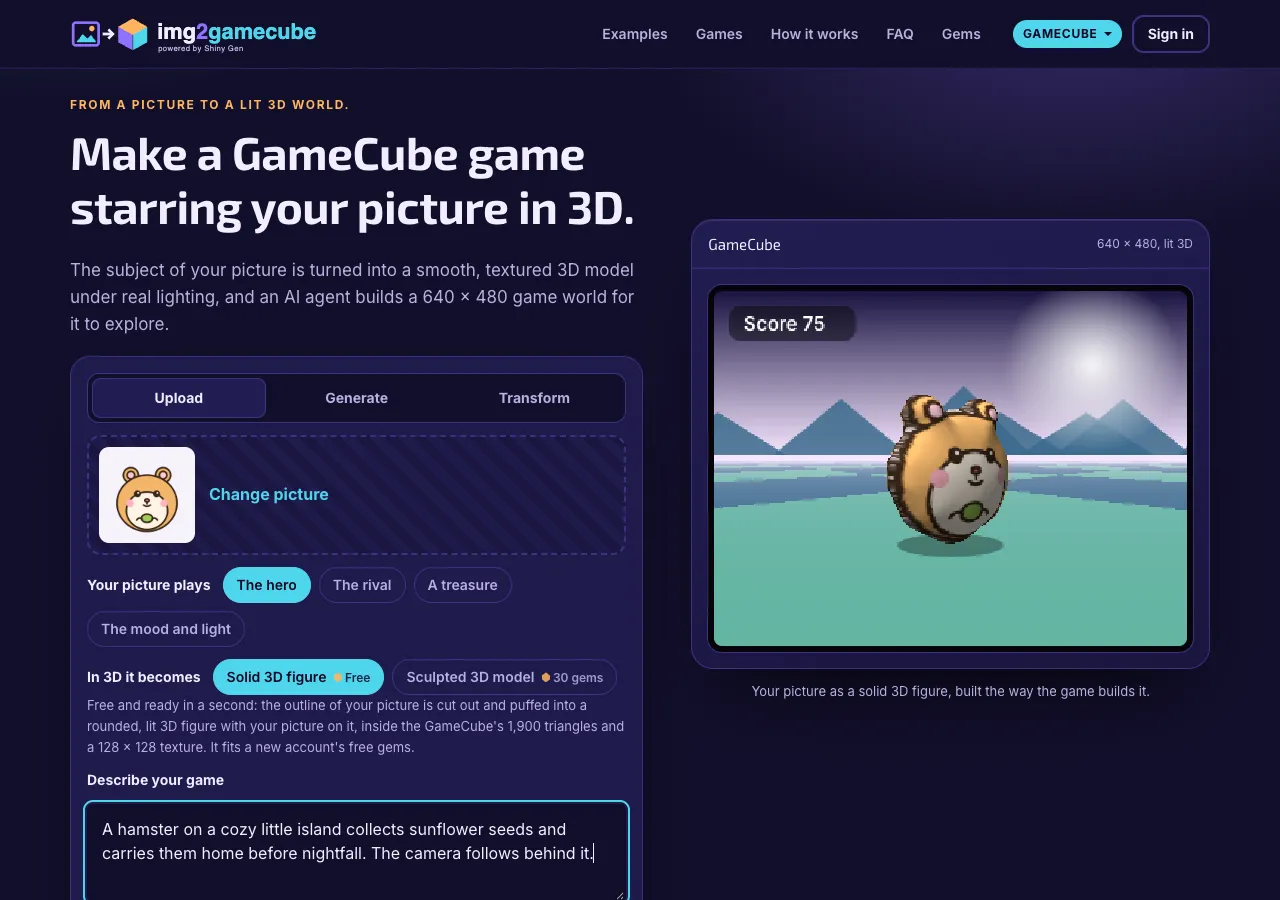
The start card has three ways in:
- Upload. PNG, JPG or WebP, dropped, picked or pasted. When the picture's border is plain, the page cuts the subject out itself and hands the agent a transparent picture, so no gems are spent removing the background.
- Generate. Describe a picture and choose Detailed (8 gems) or Fast (2 gems). For a character, the page asks for one subject, full body, front view, on a plain white background, which is what makes a clean 3D model.
- Transform. Already have a picture but want it changed? Pick it, say what should change ("give it a wizard hat and a star wand"), and choose Best (8 gems) or Fast (7 gems). This is img2img: your picture plus words.
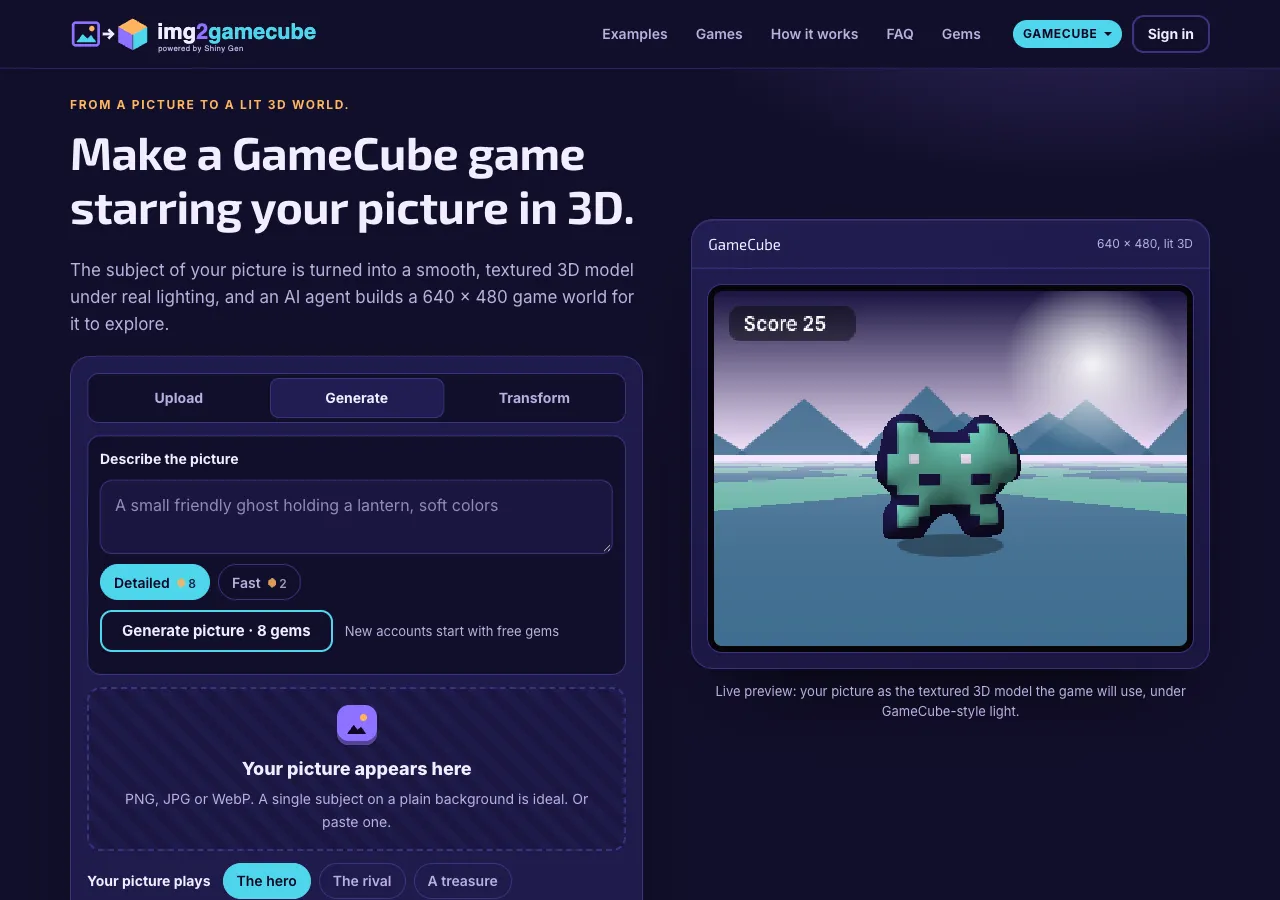
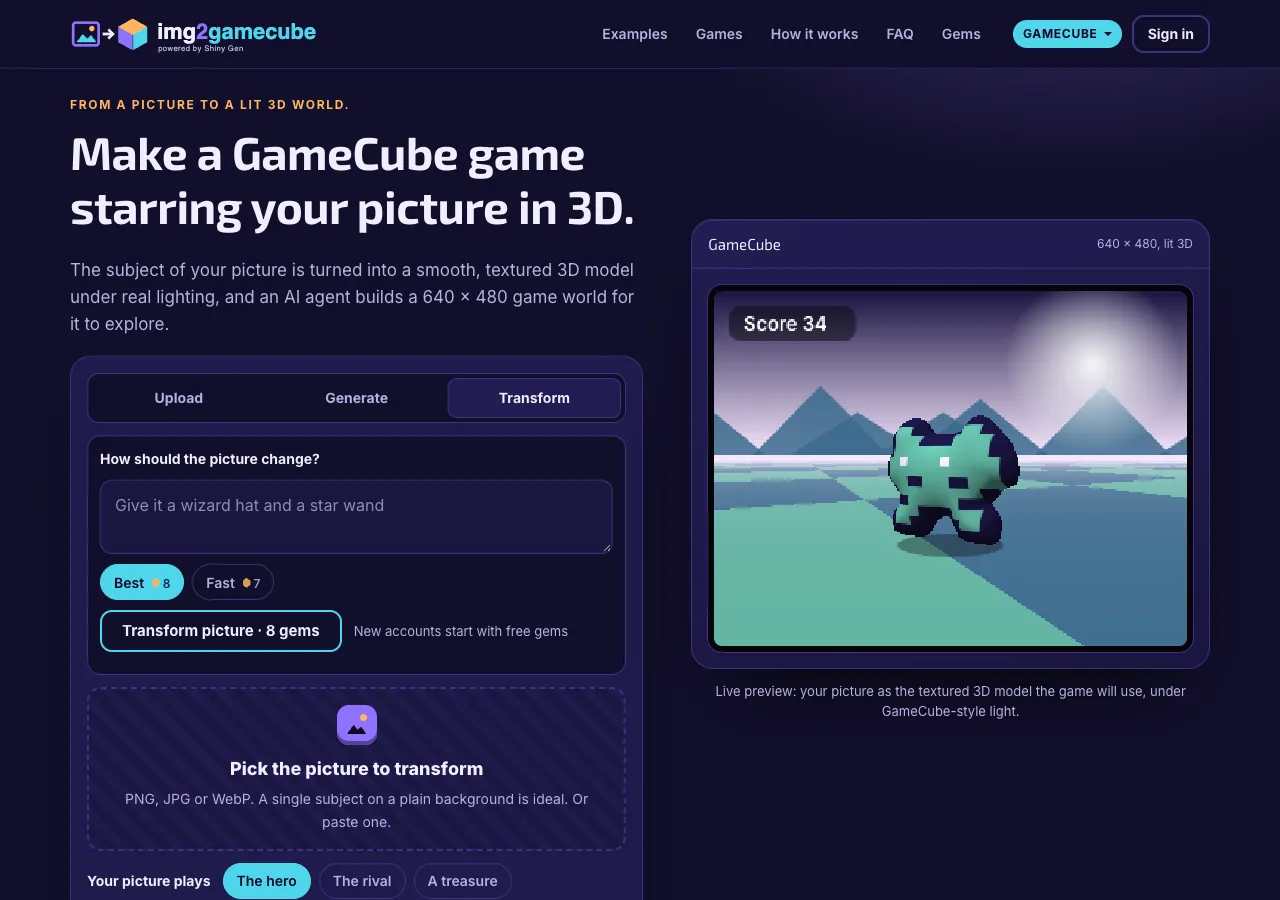
Whichever way the picture arrives, it gets the same cut-out and the same 3D preview. Generating and transforming show the gem price first and charge only when the picture is made.
Step 2: Choose the part it plays
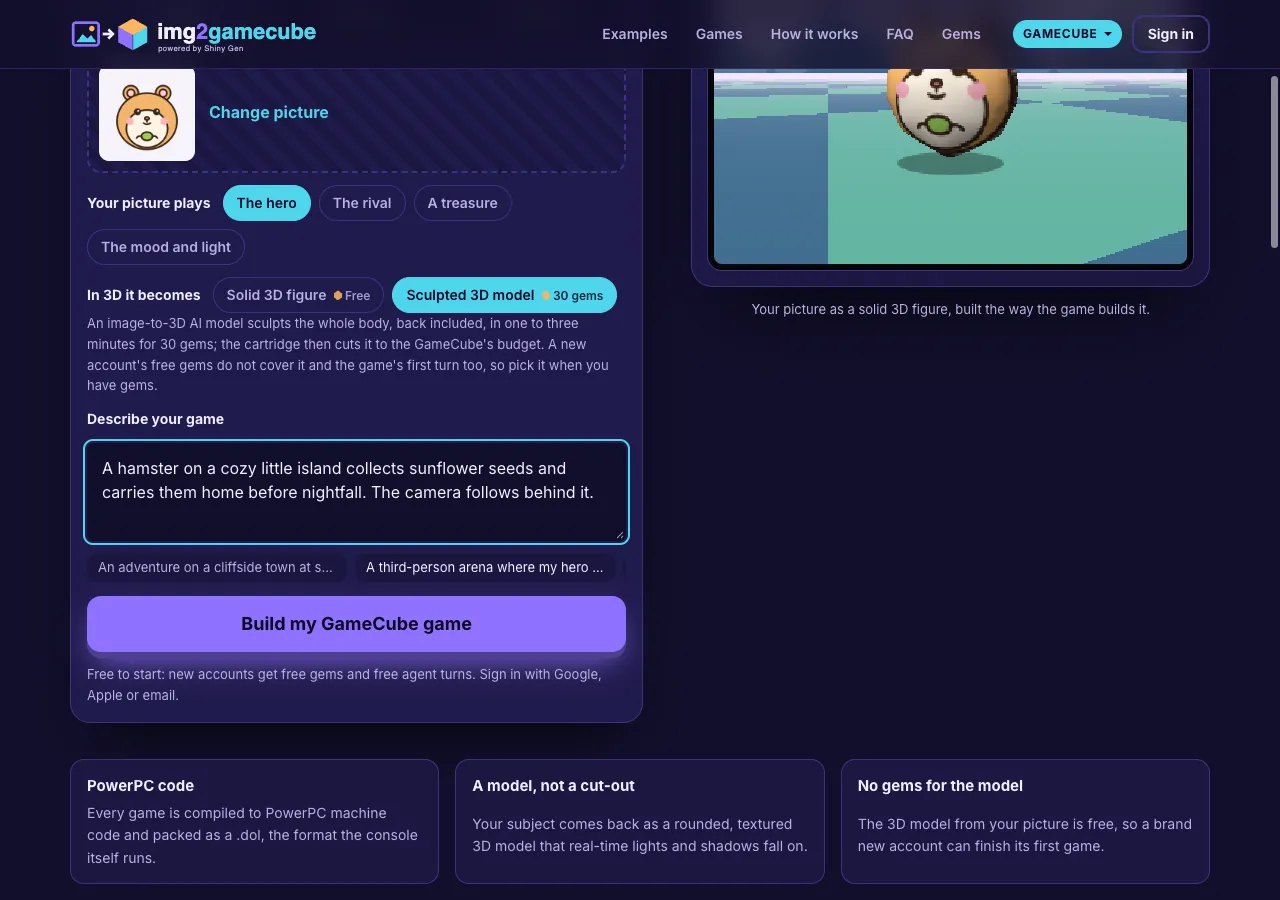
Your picture plays sets its role:
- The hero: the character you steer, lit and turning to face where it moves, with a shadow.
- The rival: the main enemy, turning toward the player.
- A treasure: the thing you collect, small and spinning where it waits.
- The mood and light: the sky or backdrop of the scene, with the ground, the light and the level's colors taken from your picture.
In 3D it becomes picks the model:
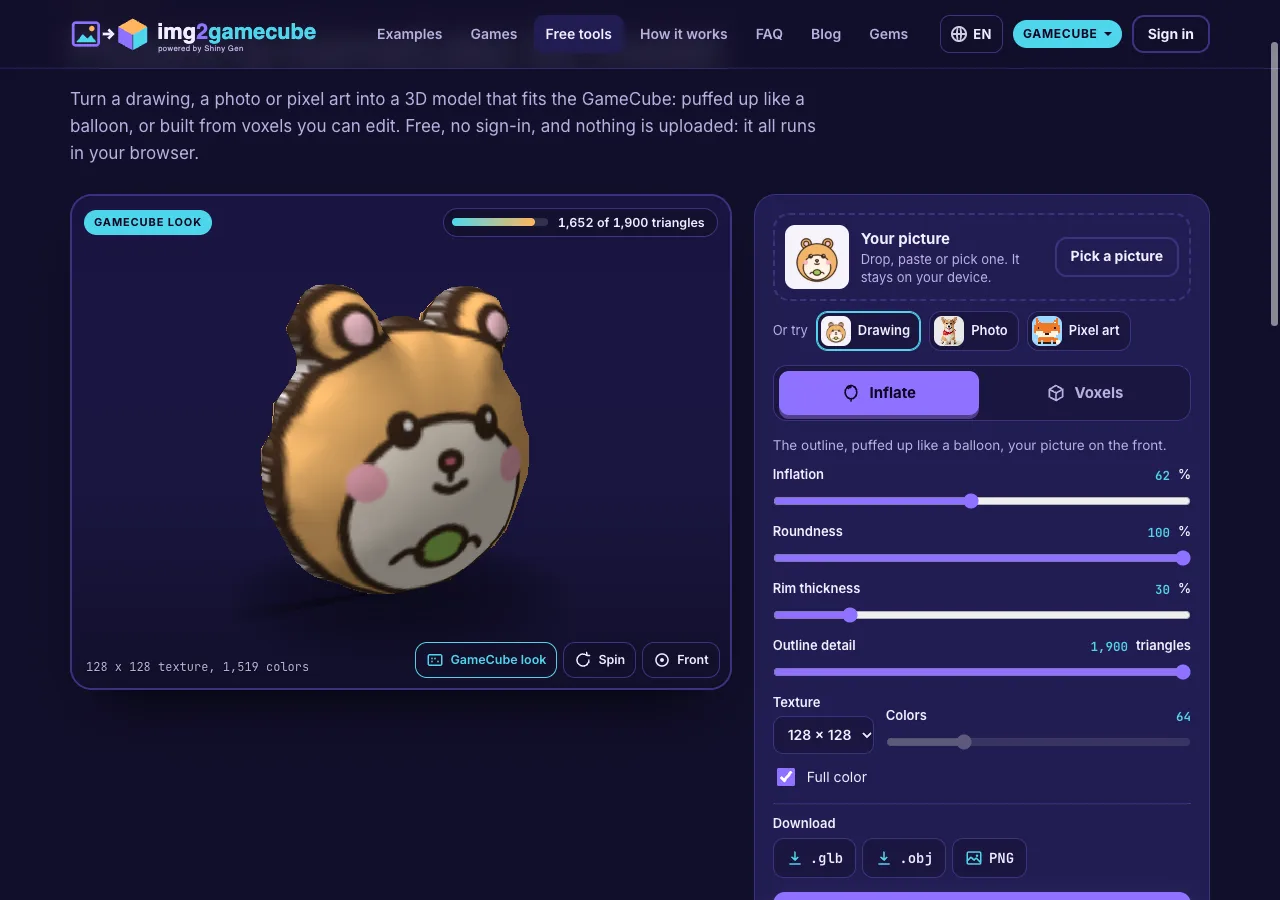
- Solid 3D figure (free). The app finds the subject, traces its outline and inflates it into a closed, rounded body about as deep as a plush toy, then maps your picture onto it at 128 x 128. It uses about 1,900 triangles at most, and it is ready in about a second. The preview on the right draws it under GameCube-style light so you can see it before you start.
- Sculpted 3D model (30 gems). An image-to-3D AI model builds the whole body, guessing the back and sides, in one to three minutes; the cartridge then reduces it to 2,000 triangles. A new account's free gems do not cover it and the first agent turn together, so pick it when you have gems.
Step 3: Describe your game
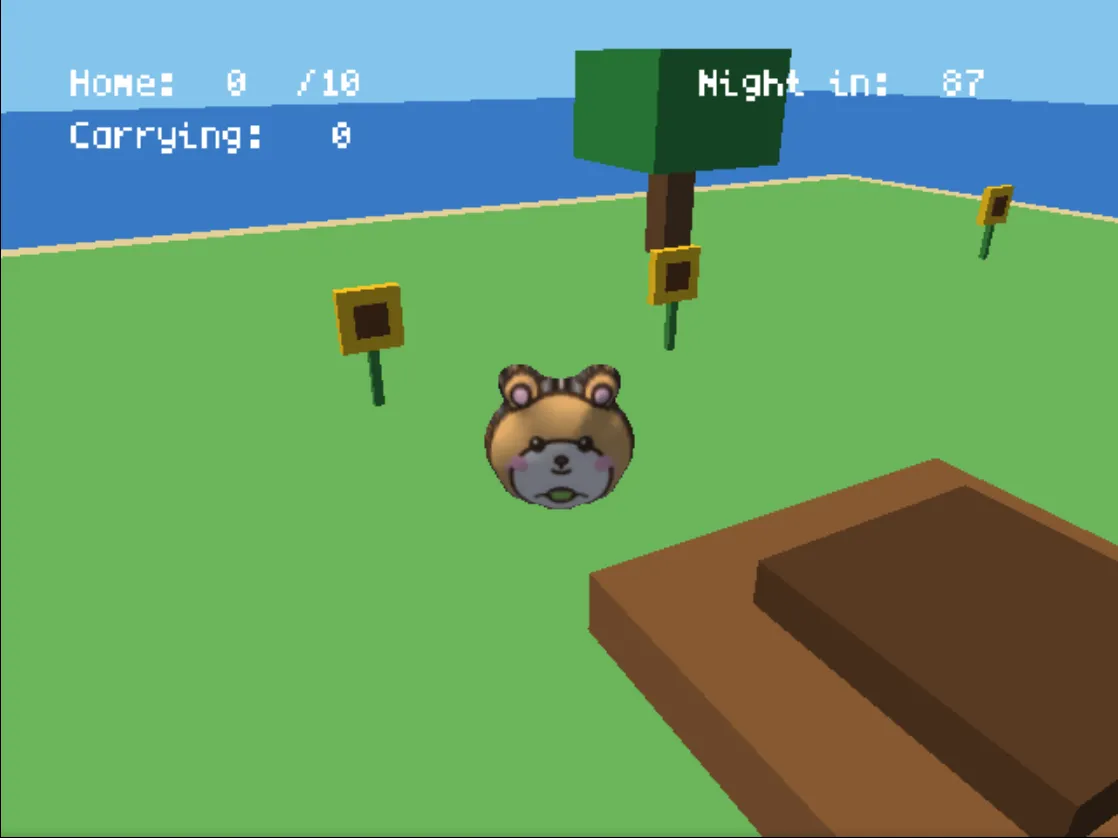
In Describe your game, say where it happens, what the player does and how it ends. The GameCube suits third-person adventures, lit arenas, cozy islands and racers, so ask for what the console is good at: shadows, reflections, a camera that follows. For example: "A hamster on a cozy little island collects sunflower seeds and carries them home before nightfall. The camera follows behind it."
The card also offers ideas to start from, such as a cliffside town at sunset with a lighthouse to climb, or a cozy island where you water flowers and catch fish.
Step 4: The agent builds it
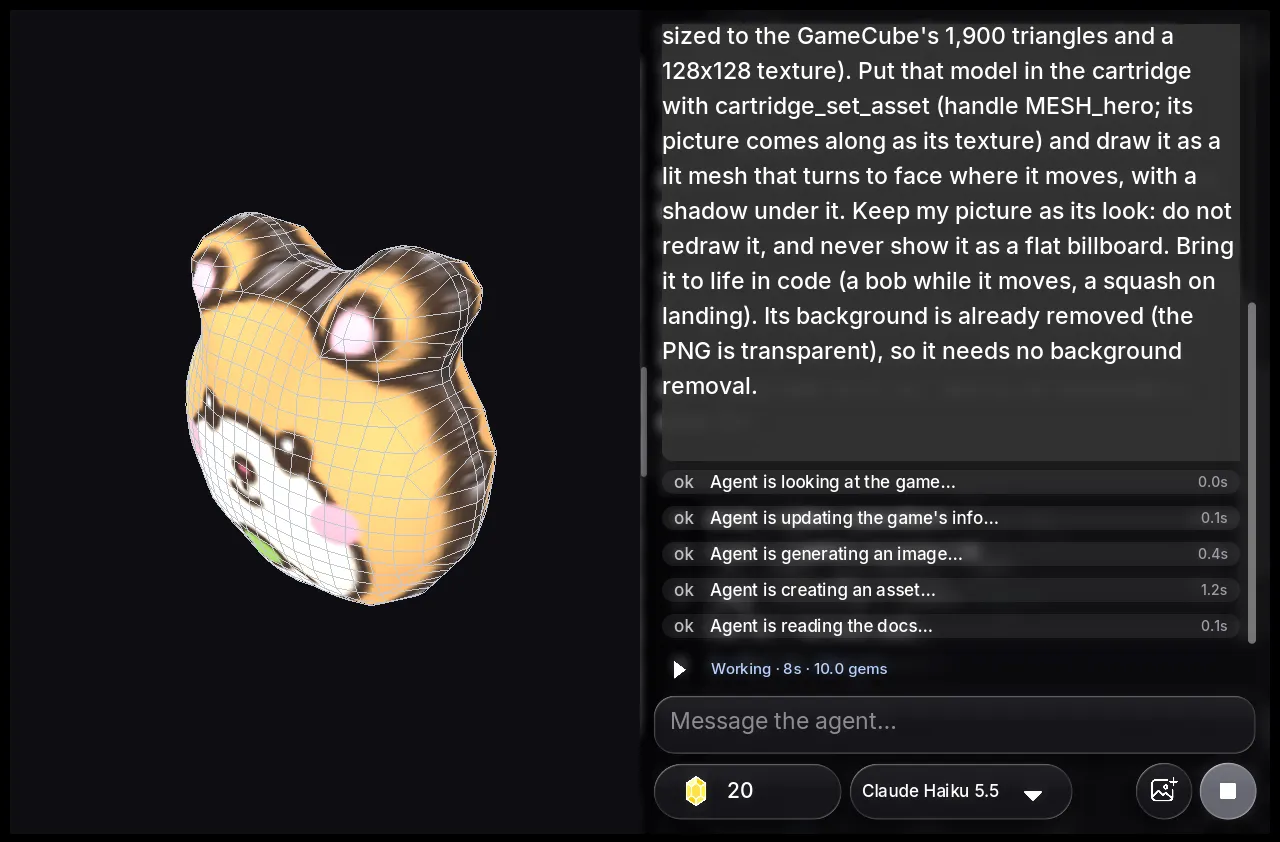
Press Build my GameCube game. If you are not signed in, sign-in opens on the page while the engine downloads. Then the studio opens on img2gamecube.com with a new GameCube game, and your words and picture become the agent's first message, along with a line from the site that tells it to import the picture, make the 3D model, put it in the cartridge as a lit mesh with a shadow, and keep your picture as its look.
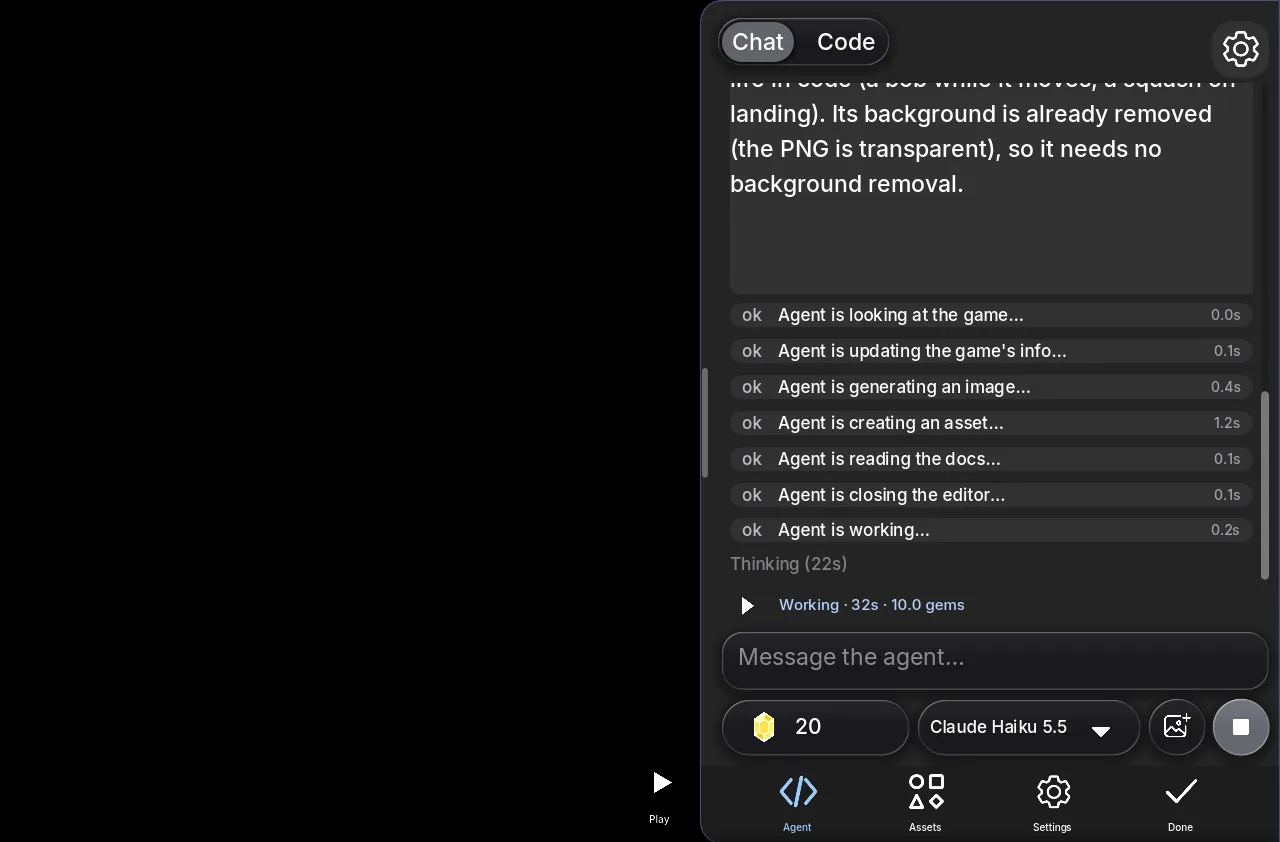
The agent sets up a camera, lights and a level, writes the game in a small C-like language, compiles it to PowerPC machine code and links a .dol, the format the console runs. Then it plays the build: it presses buttons, takes 640 x 480 screenshots, reads the frame cost and fixes what it finds. In the hamster session it played both the win and the loss before it finished, in 1 minute 55 seconds for 10 gems. The hamster example shows every step.
Step 5: Play, then change it by chat
Press Play. Your model walks the world under the scene's lights with its shadow on the ground.
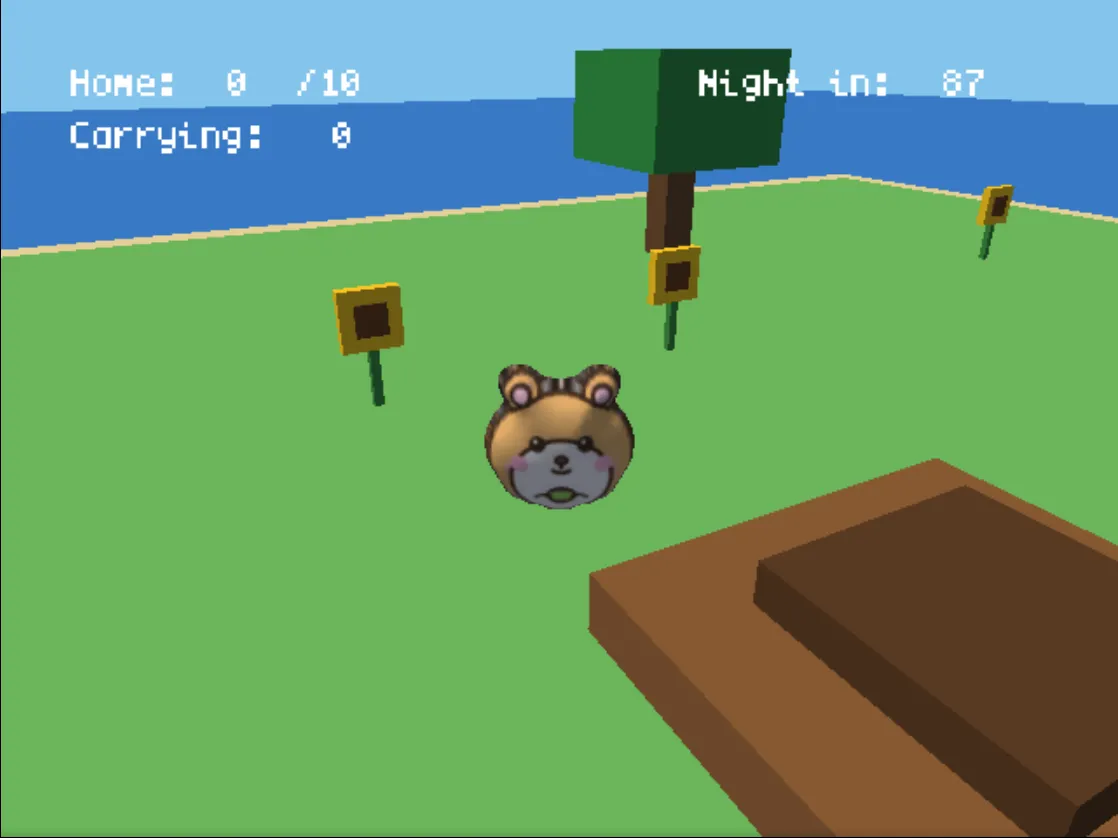
Then keep going in the same chat: "add reflections on the pond", "a day and night cycle", "a boss at the end", "save the best time to the memory card". Each request is another agent turn, and you can edit the code yourself in the Code view for free.
What you get
- A game that plays in the browser on img2gamecube.com, on phones and computers, and in the Shiny Gen apps for iPhone, iPad and Android with the same account.
- A share link on img2gamecube.com for anyone to play, and remix into a copy of their own.
- The game file. Press Share, then Export .dol. Export needs any one purchase, from the $2.99 starter pack. A
.dolplays in the Dolphin emulator; we have not tested these on a real GameCube, so we do not claim that.
What the GameCube engine can do
- Screen: 640 x 480 at 30 or 60 frames a second, with a depth buffer and render to texture for mirrors and water.
- Models: up to 2,000 triangles a model by default; the model made from your picture uses about 1,900 with a 128 x 128 texture.
- Lighting: eight hardware lights (a sun, fill lights, point lights and spotlights), lit per vertex, plus toon, rim and glow materials.
- Memory: 24 MB of RAM, 19 MB of it for the game. Bigger games load levels from the disc.
- Saving: named files on a memory card in slot A, kept between builds.
- Controls: two analog sticks, analog L and R triggers, A, B, X, Y, Z, Start and a d-pad.
FAQ
Can I use a photo instead of a drawing?
Yes. A photo of a pet, a toy or a figure works the same way: the subject is cut out and becomes the model. A plain background and a front view help.
What does it cost?
Starting, playing and sharing are free. A new account gets 30 free gems and free agent turns. The solid 3D model costs nothing, and the first game in each of our GameCube sessions cost 10 or 11 gems. Generating a picture costs 2 or 8 gems, transforming one 7 or 8, and the sculpted model 30. Gem packs start at $2.99 for 150 gems and never expire.
How long does it take?
The model is ready in about a second. In our GameCube sessions, the agent's first turn took between about one and a half and three minutes.
Do I need to code or know 3D modeling?
No. The site makes the model and the agent writes the game. If you are curious, the code is readable in the studio.
What makes the best picture for a 3D model?
One character, creature or object from the front, on a plain background. Rounded subjects such as animals, mascots, robots and plush toys come out best. A picture of a whole scene works better as The mood and light than as a model.
Why does the back of my model show my picture?
The free model is built from one picture, so the back shows it seen through from behind. Choose Sculpted 3D model if you want an AI to build real sides and a back.
Is img2gamecube part of Shiny Gen?
Yes. It is the Shiny Gen site for GameCube games, running on Shiny Gen's sGC engine. You sign in with a Shiny Gen account and spend the same gems, and every game you make here is in the Shiny Gen app too.
Further reading
Last updated: November 17, 2026